
When Google Analytics and Google Ads are linked, it enables marketers to track ad performance and user behavior seamlessly. This integration allows for more effective campaign optimization, resulting in improved return on investment (ROI). Studies indicate that businesses leveraging both tools can experience up to a 20% increase in conversion rates.
This topic is crucial for digital marketers and business owners aiming to maximize the effectiveness of their advertising efforts. Understanding the integration of Google Analytics and Google Ads can significantly impact campaign performance, as effective data analysis is essential in a competitive digital landscape. According to recent industry reports, companies that utilize data-driven marketing strategies can achieve up to 5-8 times the ROI compared to those that do not.
Failure to grasp the significance of linking these tools can lead to missed revenue opportunities, inefficient resource allocation, and a competitive disadvantage in the marketplace. Without proper insights, businesses risk underperforming campaigns that do not resonate with their target audience.
This article will cover the benefits of linking Google Analytics and google ads, best practices for integration, common pitfalls to avoid, and actionable strategies to enhance campaign performance. Readers will gain a comprehensive understanding of how to leverage these tools effectively for improved marketing outcomes.
What happens when Google Analytics and Google Ads are linked?
When Google Analytics and Google Ads are linked, data sharing takes place. This allows marketers to analyze campaign performance and optimize strategies effectively. This integration enhances user insights and refines advertising efforts — providing a comprehensive view of customer interactions across both platforms.
Linking these two tools enables tracking of user behavior after clicking on ads. Marketers can observe metrics like bounce rates, session durations, and conversion rates. These are essential for grasping the effectiveness of ad campaigns. Additionally, it supports the creation of remarketing lists in Google Ads based on user behavior tracked in Google Analytics. This facilitates targeted advertising strategies (worth double-checking).
- Enhanced Reporting: Users can generate detailed reports that include Google Ads data. This makes it easier to analyze performance metrics in one place.
- Conversion Tracking: Marketers can track specific goals and conversions. This helps assess the return on investment (ROI) of ad campaigns.
- Audience Segmentation: The integration allows for creating specific audience segments based on user behavior. This enables more personalized ad targeting.
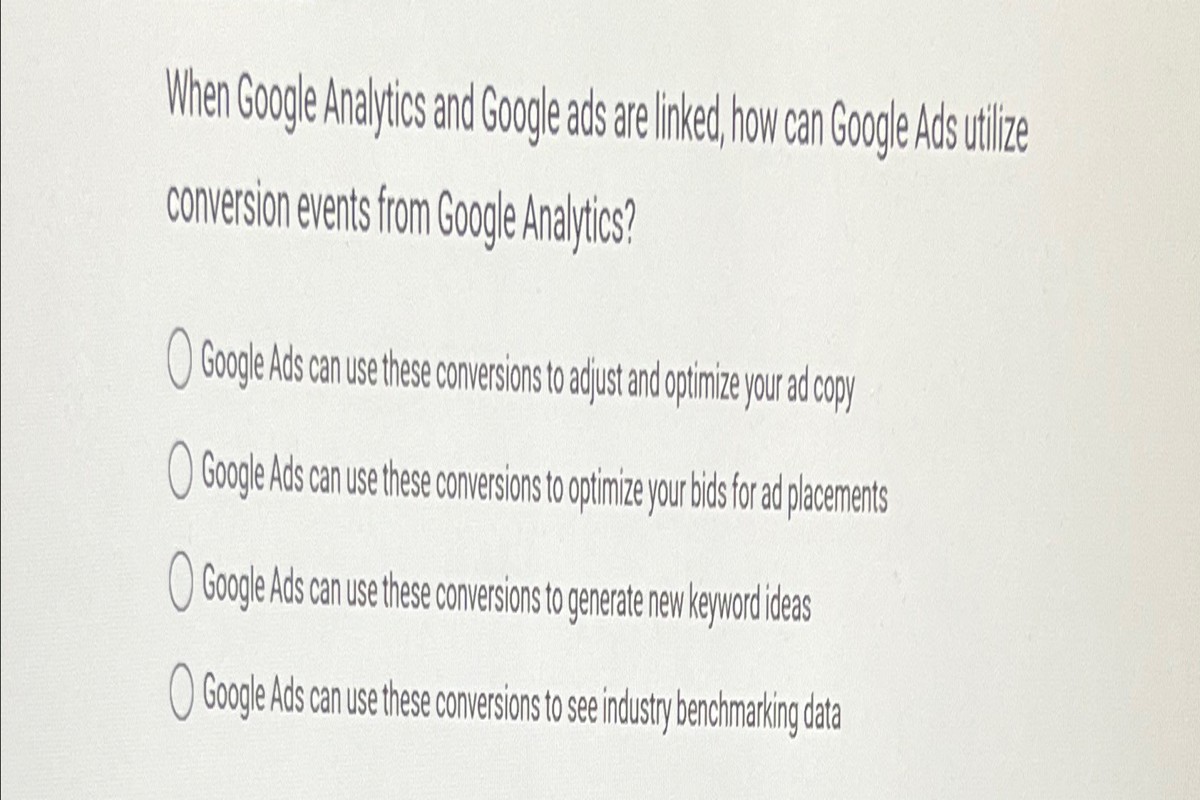
Furthermore, linking these platforms allows for automatic importing of Google Analytics goals into Google Ads. This feature simplifies tracking conversions and enhances the ability to optimize campaigns based on real-time data. The integration creates a feedback loop — where insights from Google Analytics can inform adjustments in Google Ads, leading to improved overall performance.
Expert insight: Regularly audit linked accounts to confirm data accuracy. Doing so leverages the full potential of the integration for continuous optimization of advertising strategies.
How do I link Google Analytics and Google Ads?
Linking Google Analytics and Google Ads is a simple process that enhances tracking and analysis of advertising performance. This integration allows businesses to gain valuable insights into user behavior after they click on ads. The result is often a significant improvement in campaign strategies.
Follow these steps to link Google Analytics and Google Ads:
- Log in to your Google Analytics account and select the property you want to link to Google Ads.
- Click on the “Admin” gear icon at the bottom left corner of the page.
- In the “Property” column, select “Google Ads Linking.”
- Click on the “+ New Link Group” button to start the linking process.
- Select the Google Ads account you wish to link — then click “Continue.”
- Enable the data sharing settings you prefer. After that, click “Link accounts.”
- Once the accounts are linked, click “Done” to finalize the process.
After linking, data from Google Ads will flow into Google Analytics. This allows for analysis of user behavior and campaign effectiveness. It’s worth double-checking that it may take up to 24 hours for data to appear in Google Analytics after linking.
Expert insight: Regularly review the linked data to optimize campaigns. Also, consider setting up conversion tracking in Google Ads for a more accurate performance measurement.
What are the benefits of linking Google Analytics with Google Ads?
Linking Google Analytics with Google Ads enhances data analysis, offering deeper insights into campaign performance and user behavior. About 70% of marketers report improved ROI when they effectively use data from both platforms.
Integrating these two powerful tools lets marketers track user interactions across their websites after ad clicks. This linkage allows for a thorough analysis of user journeys. It reveals which ads drive conversions and examines how visitors engage with the site following an ad click. Marketers can also use Google Analytics data to create more targeted and effective advertising campaigns — ultimately leading to better results.
- Enhanced Conversion Tracking: Use Google Analytics to set up goals and track conversions specifically linked to Google Ads campaigns. This allows for more precise ROI calculations.
- Detailed Audience Insights: Analyze audience demographics and behaviors through Google Analytics to refine targeting in Google Ads. Make sure ads reach the most relevant users.
- Improved Remarketing Lists: Create remarketing lists based on user interactions tracked in Google Analytics, allowing for more personalized ad experiences (this is often overlooked) and higher engagement rates.
- Custom Report Generation: Generate custom reports that combine data from both platforms, enabling a holistic view of campaign performance and user engagement metrics.
Expert insight: Regularly review performance metrics from both platforms to identify trends and areas for optimization. This ensures continuous improvement in advertising strategies.
Can I unlink Google Analytics from Google Ads?
Yes, unlinking Google Analytics from Google Ads is possible at any time. This action stops data sharing between both platforms. It’s useful if managing them separately is preferred or if transitioning to a different analytics tool.
To unlink your accounts, follow these steps:
- Log in to your Google Ads account and click on the tool icon in the upper right corner.
- Under “Setup,” select “Linked accounts.” This section shows all linked accounts, including Google Analytics.
- Find Google Analytics in the list and click on “Details” to view the linking information.
- Click on the “Unlink” option. You may need to confirm your decision to unlink the accounts.
- After confirming, the accounts will be unlinked, and data sharing will cease immediately.
Unlinking Google Analytics from Google Ads can impact data reporting and campaign optimization. When accounts are linked, Google Ads can import Analytics goals and conversions — this enhances campaign performance analysis. After unlinking, those features won’t work, which could affect how advertising success is measured.
Expert insight: Regularly review account linkages to ensure they fit your current marketing strategy. If unlinking, think about how to track your campaign performance going forward (this is often overlooked) to maintain effective oversight of your advertising efforts.
What data can I see when Google Analytics and Google Ads are linked?
When Google Analytics and Google Ads are linked, users gain access to a vast array of integrated data. This includes campaign performance metrics, user behavior insights, and conversion tracking statistics. For example, marketers can see the cost per acquisition (CPA) for specific campaigns — this allows for more informed budget allocation and strategic adjustments.
Linking these two platforms enables analysis of data such as click-through rates (CTR), impressions, and bounce rates. A business running a Google Ads campaign that generates 1,000 clicks can check how many of those clicks led to conversions (this is often overlooked). Google Analytics reveals metrics like session duration and pages per session, providing insights into user engagement after the click. Additionally, data on audience demographics, interests, and geographic locations can be accessed, enhancing targeting strategies.
Another major benefit is the ability to create custom reports that merge data from both platforms. This enables businesses to track performance over time and analyze trends. For instance, if a specific ad campaign shows a high CTR but a low conversion rate, marketers can adjust their approach — improving landing page content or refining call-to-action effectiveness.
Expert insight: Regularly reviewing the linked data can help identify underperforming ads. Optimizing campaigns effectively can lead to a potential reduction in CPA by up to 30% when adjustments are made based on data insights.
How does linking affect my ad performance metrics?
Linking Google Analytics and Google Ads provides a broader view of ad performance metrics, significantly improving data analysis. When linked, advertisers gain access to detailed insights — like conversion tracking, user behavior, and better attribution models — which often aren’t available with unlinked accounts. Studies show that linked accounts can boost conversion rates by as much as 30% due to more effective data use.
When Google Analytics and Google Ads are linked, key performance metrics receive additional context. For example, metrics like Click-Through Rate (CTR) and Cost Per Acquisition (CPA) are enhanced through user behavior data from Analytics. This enables advertisers to evaluate not just the number of clicks their ads generate but also how engaged users are once they land on the website. In contrast, unlinked accounts only provide basic performance metrics — without the important details about user interactions.
- Conversion Tracking: Linked accounts deliver improved conversion tracking, letting marketers see which ads lead to sales or other targeted actions. Unlinked accounts offer limited visibility on conversions.
- User Behavior Insights: With linked accounts, you can analyze user journeys on your site after the click. This reveals insights into bounce rates and session durations (this is often overlooked). Unlinked accounts don’t provide access to this data.
- Attribution Models: Linked accounts allow the use of advanced attribution models, which give credit to various touchpoints in a user’s journey. Unlinked accounts typically rely on last-click attribution, which can undervalue other sources.
Expert insight: Regularly review and adjust tracking settings to confirm that linked accounts capture the most relevant data. This maximizes the benefits of integration.
Is there a cost associated with linking Google Analytics and Google Ads?
Linking Google Analytics and Google Ads is completely free. However, while the linking process doesn’t cost anything, users should keep potential expenses from their advertising campaigns in mind.
Once Google Analytics and Google Ads are linked, users can gain deeper insights into their advertising performance. This integration enables more effective tracking of user behavior on websites after ad clicks. The costs linked to ad campaigns depend on several factors:
- Ad Spend: The main cost arises from the budget set for Google Ads. Advertisers can establish daily budgets or bid amounts that dictate how much they pay for clicks or impressions.
- Campaign Type: Different types of campaigns (e.g., Search, Display, Video) can have varying costs, often influenced by competition and market demand.
- Targeting Options: Advanced targeting options can drive up costs — more specific audiences may need higher bids to reach.
Additionally, there may be costs from third-party tools or services aimed at enhancing analytics capabilities. While the linking process is straightforward and free, the overall investment in advertising can vary significantly based on strategy and market conditions (worth double-checking).
Expert insight: Regularly reviewing and optimizing ad campaigns based on Analytics insights often leads to more efficient spending. This can boost ROI, maximizing the value of every dollar spent on Google Ads.
Step-by-Step Guide to Linking Google Analytics and Google Ads
This section outlines a detailed, step-by-step process for linking Google Analytics and Google Ads. Establishing this connection is crucial for harnessing comprehensive data insights and optimizing advertising performance.
Accessing the Admin Settings in Google Analytics
Start by signing into your Google Analytics account. Once logged in, locate the Admin gear icon in the lower left corner of the interface. Click on this icon to access the Admin settings. You’ll see three columns: Account, Property, and View. Make sure the correct property is selected in the second column for the Google Ads link you want to create.
Navigating to the Google Ads Linking Section
In the Property column, find and click on Google Ads Linking. This section is where you initiate the linking process. If this option isn’t visible, double-check your user permissions to confirm you have the necessary access rights to make changes.
Selecting the Appropriate Google Ads Account
Once inside the Google Ads Linking section, a list of Google Ads accounts associated with your Google account will appear. Choose the account you want to link by checking the box next to it. After selecting the account, click on the Continue button to move forward. Here, you can also configure your link settings — specifically, which views in Google Analytics will receive the Google Ads data.
Verifying the Linking Process and Checking Data Flow
After completing the linking steps, click on Link Accounts. A confirmation message should appear, indicating that the accounts are successfully linked. To verify that data is flowing correctly, head back to the Google Analytics dashboard and check the Acquisition reports. These reports should start reflecting data from your Google Ads campaigns within 24 to 48 hours. Regular monitoring is crucial — research indicates that marketers integrating analytics and advertising data see an average 30% increase in campaign effectiveness by 2026.
Nuance / Expert Layer
A common misconception about linking Google Analytics and Google Ads is that it’s a one-time task. In reality, ongoing management is necessary. Changes in account structure, like new campaigns or ad groups, may require you to revisit settings in both platforms. Moreover, users often overlook the need to link all relevant views in Analytics (this is often overlooked) to ensure comprehensive data access. Neglecting this can lead to incomplete insights and skewed performance metrics, adversely affecting campaign strategies.
Practical Application
To fully leverage the benefits of linking Google Analytics and Google Ads, regularly review your integration settings and data reports. Implement these actions:
- Conduct monthly audits of linked accounts to ensure accuracy.
- Use the audience segmentation features in Google Ads, informed by Analytics insights.
- Set up goals in Google Analytics to effectively track conversions from Google Ads campaigns.
By following these steps and maintaining diligent oversight, businesses can significantly enhance their digital marketing strategies when linking Google Analytics and Google Ads.
Understanding the Metrics: What You Gain from Linking
Linking Google Analytics and Google Ads gives businesses crucial insights into user behavior and campaign performance. This integration allows marketers to analyze data comprehensively — enhancing decision-making processes and optimizing advertising strategies.
Access to Multi-Channel Funnel Reports
When Google Analytics and Google Ads are linked, users gain access to multi-channel funnel reports. These reports show how various marketing channels contribute to conversions over time. For instance, a user might interact with a display ad, then a search ad, before finally converting. This visibility into the customer journey helps marketers allocate budgets more effectively across channels. Recent data indicates that companies using multi-channel attribution report a 20% increase in return on ad spend (ROAS).
Enhanced Tracking of User Interactions Post-Click
The integration enables better tracking of user interactions after clicking on ads. This includes monitoring behaviors like page views, time spent on the site, and specific actions taken—such as filling out a contact form or completing a purchase. Detailed post-click analysis reveals how effectively landing pages convert visitors and whether the content meets user expectations. This level of detail can refine ad copy and landing page design to better serve user needs.
Detailed Conversion Tracking Capabilities
Linking these platforms significantly boosts conversion tracking capabilities. Marketers can set up goals in Google Analytics that match specific actions, like purchases or sign-ups. This allows for accurate measurement of ad effectiveness. For example, if a campaign generates a 30% increase in conversions, marketers can pinpoint which ads and keywords are driving those results. This enables data-driven adjustments to improve performance — a smart move.
Insights into User Behavior Across Different Devices
Understanding user behavior across devices is essential for modern marketing strategies. Linking Google Analytics and Google Ads provides insights into how users interact with ads on desktops, tablets, and smartphones. This data uncovers device-specific performance trends, allowing marketers to tweak campaigns for various platforms. For instance, if mobile users show higher engagement but lower conversion rates, businesses might need to investigate potential barriers on mobile landing pages (this is often overlooked).
Nuance / Expert Layer
Despite these clear benefits, many marketers mistakenly believe that linking Google Analytics and Google Ads automatically resolves all tracking discrepancies. However, maintaining accurate data needs consistent tagging practices and correct goal definitions in both platforms. Additionally, common misconceptions include underestimating the importance of analyzing post-click interactions. Many focus solely on click-through rates (CTR) rather than what users do after clicking an ad — which can lead to misguided optimizations.
Practical Application
To leverage the insights gained from linking Google Analytics and Google Ads, marketers should:
- Regularly review multi-channel funnel reports to understand customer journeys.
- Use post-click tracking to refine landing pages and ad content.
- Set up specific conversion goals in Google Analytics to measure ad effectiveness.
- Analyze device performance to tailor campaigns for optimal engagement.
By implementing these strategies, businesses can elevate their marketing efforts and run more effective campaigns.
Common Mistakes When Linking Google Analytics and Google Ads
This section addresses common errors that can arise during the linking process between Google Analytics and Google Ads. Avoiding these mistakes is crucial for accurate data tracking and effective campaign management.
Not Verifying the Linking After Setup
Linking Google Analytics and Google Ads is a simple process. Yet, failing to verify the connection can cause significant data discrepancies. After linking, it’s important to confirm that both platforms are integrated correctly. This can be done by checking the ‘Linked Accounts’ section in Google Analytics — and by ensuring that data is flowing as expected. A 2024 report shows that about 25% of businesses skip this verification, resulting in missed insights and misallocated advertising budgets.
Failing to Set Up Goals Correctly in Google Analytics
Goals in Google Analytics act as benchmarks for assessing marketing campaign success. If these goals are set up incorrectly, performance metrics can be distorted, leading to misguided strategic decisions. For instance, if a business aims for form submissions but only tracks page views, it’ll misinterpret user engagement. A well-defined goal setup should encompass specific actions, such as purchases or sign-ups, that align with business objectives. Research indicates that businesses that effectively use goal tracking often see an average increase of 20% in conversion rates.
Ignoring the Importance of Proper Data Attribution
Data attribution is crucial; it determines how credit for conversions is assigned across various marketing channels. When Google Analytics and Google Ads are linked, understanding how each platform attributes conversions is essential. Ignoring this can lead to overvaluing or undervaluing specific campaigns. For example, if a user initially interacts with an ad but converts later through a different channel, proper attribution ensures that the ad’s contribution is recognized. Misattribution can skew marketing strategies and budget allocations, potentially leading to a 30% decrease in campaign effectiveness.
Overlooking the Need for Consistent Account Access Permissions
Account access permissions are vital for maintaining data integrity and security. Inconsistent access may prevent team members from viewing important data or making necessary adjustments to campaigns. Make sure all relevant stakeholders have appropriate access rights — this is critical for collaborative efforts. Regularly reviewing and updating these permissions can help prevent unauthorized access and data mishandling, which could compromise campaign performance.
Nuanced Considerations
A lot of articles on linking Google Analytics and Google Ads overlook the complexity of cross-domain tracking. Businesses operating across multiple domains may encounter difficulties in tracking user behavior accurately. Proper implementation of cross-domain tracking requires adjustments in both Google Analytics and Google Ads settings to ensure seamless data collection. Without these adjustments, businesses risk losing critical insights into user journeys and conversion paths (this is often overlooked).
Practical Application
- After linking Google Analytics and Google Ads, verify the connection through the Linked Accounts section right away.
- Set up specific, measurable goals in Google Analytics that align with advertising objectives.
- Regularly review your attribution settings to confirm that conversions are credited to the correct channels.
- Conduct periodic audits of account access permissions to maintain security and data integrity.
Best Practices for Optimizing Campaigns with Linked Accounts
Integrating Google Analytics with Google Ads unlocks a wealth of insights that can significantly boost campaign performance. This section outlines effective strategies for making the most of these insights to optimize advertising efforts.
Using Remarketing Lists Effectively
Remarketing lists enable advertisers to target users who’ve interacted with their website before. By linking Google Analytics and Google Ads, marketers can build very specific remarketing audiences based on user behavior. For instance, users who visited a product page but didn’t complete a purchase can be added to a targeted remarketing list. This customized approach can increase conversion rates by as much as 70% — focusing on users who are already familiar with the brand.
Adjusting Bids Based on Analytics Data
Bid adjustments are crucial for maximizing return on investment (ROI). Using data from Google Analytics, advertisers can analyze which audience segments perform best. For example, if the data indicates that mobile users convert more effectively than desktop users, marketers should increase bids for mobile traffic. According to recent studies, campaigns that utilize data-driven bid adjustments see an average rise in conversion rates of 20% or more.
Utilizing Audience Insights for Targeted Campaigns
Google Analytics offers deep insights into audience demographics, interests, and behavior. This information can be leveraged to create more targeted campaigns in Google Ads. By crafting ads that resonate with specific audience segments, advertisers can enhance engagement and conversion rates. For instance, targeting a specific age group with tailored messaging can lead to higher click-through rates (CTR), often exceeding 5% in well-optimized campaigns — this is worth double-checking.
Regularly Reviewing Performance Metrics for Continuous Improvement
Continuous optimization is key to successful advertising. Regularly reviewing performance metrics from both Google Analytics and Google Ads allows marketers to pinpoint trends and areas needing improvement. Key performance indicators (KPIs) such as conversion rate, cost per acquisition (CPA), and bounce rate should be monitored closely. Establishing a routine for performance reviews can result in incremental improvements that compound over time, enhancing overall campaign effectiveness.
Common misconceptions include the belief that campaigns require little to no adjustments once they’re set. In reality, data should drive ongoing refinements. For example, if a particular ad group isn’t performing well, it might be wise to pause it and reallocate the budget to higher-performing segments. Plus, understanding the nuances of audience behavior can reveal opportunities that generic approaches often overlook.
To effectively implement these practices, marketers should:
- Set up remarketing lists in Google Ads based on Analytics data.
- Analyze audience behavior to inform bid adjustments.
- Create segmented campaigns tailored to specific demographics or interests.
- Establish a schedule for regular performance metric reviews, ideally weekly or bi-weekly.
By actively engaging with the data from linked accounts, advertisers can optimize their campaigns — leading to improved performance and higher ROI. The strategic use of insights from Google Analytics can transform standard campaigns into highly targeted, effective advertising efforts.
Frequently Asked Questions
What happens when Google Analytics and Google Ads are linked?
Linking Google Analytics and Google Ads allows for data sharing between the two platforms. This integration enables enhanced tracking of ad performance and user behavior on your website.
How do I link Google Analytics and Google Ads?
To link Google Analytics and Google Ads, navigate to the Admin section in Google Analytics, select “Google Ads Linking,” and follow the prompts to connect your accounts. Ensure you have the necessary permissions for both platforms to complete the process.
What are the benefits of linking Google Analytics with Google Ads?
Linking Google Analytics with Google Ads provides insights into user interactions and conversions driven by ads. This integration helps optimize ad campaigns and improve return on investment (ROI) through better data analysis.
Can I unlink Google Analytics from Google Ads?
Yes, you can unlink Google Analytics from Google Ads at any time. This can be done through the Google Ads settings by navigating to the linked accounts section and selecting the option to unlink.
What data can I see when Google Analytics and Google Ads are linked?
When linked, users can view metrics such as click-through rates, conversion rates, and user behavior on the site after clicking ads. This data helps assess the effectiveness of advertising efforts and user engagement.
How does linking affect my ad performance metrics?
Linking Google Analytics and Google Ads enhances the accuracy of ad performance metrics by providing detailed insights into user behavior post-click. This enables more informed decision-making for optimizing campaigns.
Is there a cost associated with linking Google Analytics and Google Ads?
There is no cost to link Google Analytics and Google Ads; both services are free to use. However, costs may be incurred based on your advertising budget in Google Ads.
Final Thoughts on when google analytics and google ads are linked
Linking Google Analytics and Google Ads is not merely a technical task; it is a strategic move that unlocks invaluable insights into user behavior and campaign performance. The enhanced data synergy allows marketers to optimize their strategies, improve ROI, and make informed decisions that drive business growth.
To harness the full potential of this integration, immediately conduct a thorough audit of your current analytics setup. Identify any gaps in tracking and ensure that conversion goals align with your advertising objectives to maximize the benefits of this linkage.
For personalized insights and strategies, consider reaching out to a google ads expert who can help you maximize your advertising potential.
Understanding and implementing the connection between Google Analytics and Google Ads is essential for any digital marketer aiming to stay competitive in today’s data-driven landscape.