
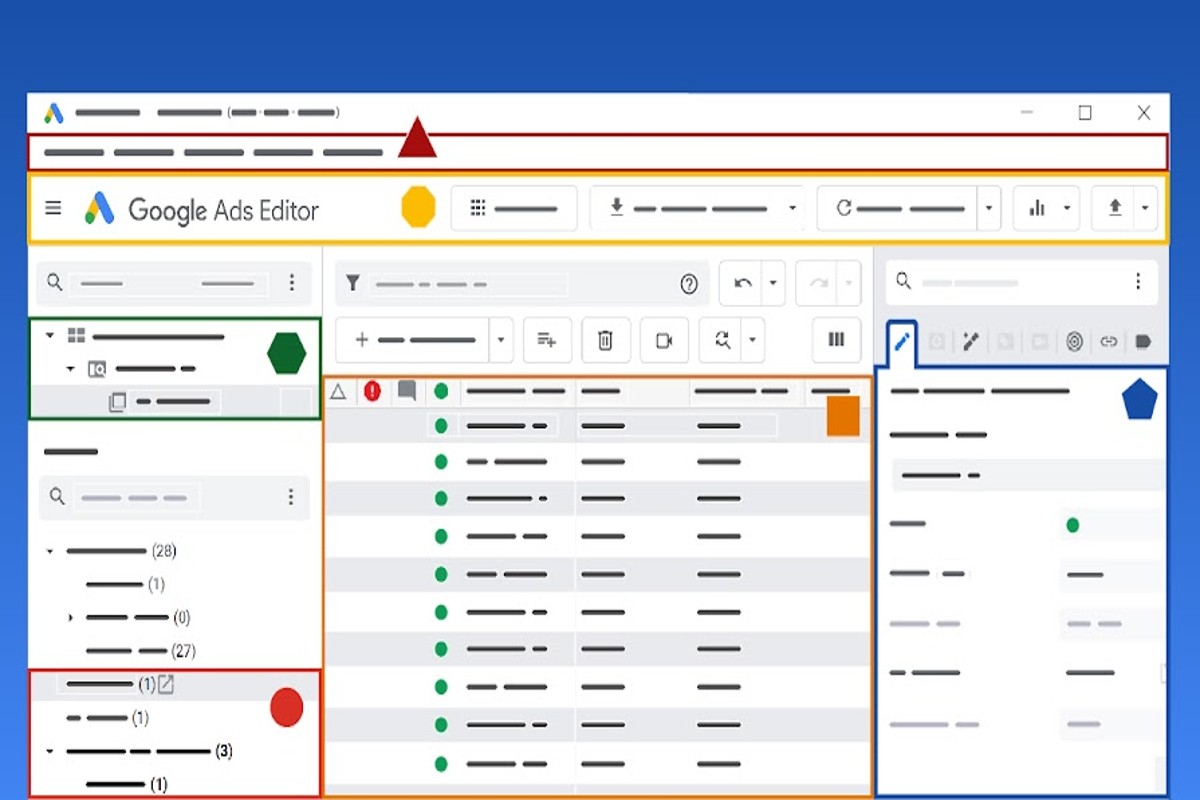
Editing keywords in Google Ads involves navigating to the ‘Keywords’ section of your campaign, selecting the keywords for modification, and implementing necessary changes. Regularly updating these keywords can enhance ad performance, leading to a potential increase in return on investment by up to 30%.
Understanding how to edit keywords in Google Ads is crucial for digital marketers and business owners looking to optimize their advertising strategy. Effective keyword management directly impacts ad visibility and click-through rates, making it essential to stay updated with keyword performance. According to recent studies, businesses that actively manage their PPC campaigns can see a 200% increase in conversion rates.
Failure to grasp the nuances of keyword editing can lead to wasted advertising dollars, missed opportunities for customer engagement, and a significant competitive disadvantage in a crowded marketplace. It’s estimated that companies can lose up to 30% of their budget on poorly optimized keywords.
This article covers the step-by-step process of editing keywords in Google Ads, best practices for keyword selection and modification, and tips for maximizing ad performance through strategic keyword management.
What are keywords in Google Ads?
Keywords in Google Ads refer to specific words or phrases that advertisers choose to target their ads. These keywords play a vital role in deciding when and where an ad shows up in search results, aligning with what users are looking for. In 2023, about 65% of marketers reported that keyword optimization significantly boosted their ad performance.
Keywords form the backbone of Google Ads campaigns. They enable businesses to connect with potential customers who are actively searching for their products or services. Advertisers have various types of keywords to choose from, each serving a specific purpose:
- Broad match: Ads may show for searches that include misspellings, synonyms, or related searches.
- Phrase match: Ads appear for searches that include the exact phrase or close variations.
- Exact match: Ads trigger only for searches that match the exact keyword phrase.
- Negative keywords: These prevent ads from appearing for specific search terms that are irrelevant.
Choosing the right keywords is critical for effectively targeting the right audience. Effective keyword research involves analyzing search volume, competition, and relevance — all to ensure optimal ad visibility. Tools like Google’s Keyword Planner can help identify suitable keywords based on current trends and search behaviors (this is often overlooked).
Expert insight: Regularly reviewing and updating keyword lists based on performance metrics can enhance campaign effectiveness. This often leads to lower costs per click and a better return on investment.
How to find the right keywords for Google Ads?
Finding the right keywords for Google Ads requires in-depth research and careful analysis. A well-optimized campaign can yield a 200% return on investment — but only when the correct keywords are used.
Follow these steps to effectively research and select keywords:
- Use Keyword Research Tools: Start with tools like Google Keyword Planner, SEMrush, or Ahrefs. These platforms give insights into search volume, competition, and related keywords.
- Analyze Competitor Keywords: Look at the keywords your competitors are targeting. Tools like SpyFu can uncover the keywords driving traffic to their sites. This provides ideas for your own campaigns.
- Consider Long-Tail Keywords: Focus on long-tail keywords, which usually consist of three or more words. These keywords often have less competition and higher conversion rates — making them valuable for targeted campaigns.
- Review Search Intent: Understand the intent behind the keywords. Categorize them as informational, navigational, or transactional to align your ads with user needs (this is often overlooked).
- Leverage Google Trends: Use Google Trends to spot seasonal trends and changes in search behavior. This helps in selecting timely keywords that resonate with current user interests.
Effective keyword selection isn’t a one-time task; it requires ongoing monitoring and adjustments based on performance data. Regularly analyze which keywords are converting, and optimize your list accordingly.
Expert insight: Regularly refresh your keyword strategy by testing new keywords and pausing those that aren’t performing. This iterative process can greatly enhance your ad performance and ROI.
What is the best practice for editing keywords in Google Ads?
The best practice for editing keywords in Google Ads is to regularly review performance data and adjust based on specific metrics. Aim to conduct keyword edits at least once a month. This helps maintain optimal campaign performance, as 60% of advertisers report improved results through consistent keyword management.
Editing keywords in Google Ads takes a strategic approach to boost ad visibility and conversion rates. Regularly analyzing keyword performance is crucial. It helps identify underperforming keywords, allowing advertisers to refine their strategies. Here are several best practices to follow:
- Monitor Performance Metrics: Regularly check metrics like click-through rates (CTR), conversion rates, and quality scores. Identify underperforming keywords and consider pausing or removing them. This can improve overall campaign efficiency.
- Use Negative Keywords: Implement negative keywords to stop ads from showing for irrelevant searches. This tactic reduces wasted spend — and improves the relevance of your ad traffic.
- Group Keywords Effectively: Organize keywords into tightly themed ad groups. This practice enhances ad relevance, enabling more tailored ad copy and landing pages. It can even boost quality scores.
- Test Keyword Variations: Experiment with variations of keywords, including long-tail phrases. This can capture more specific search intents. Higher conversion rates may follow.
- Stay Updated on Trends: Regularly research industry trends and seasonal shifts in search behavior. Adjusting keywords based on current events or market changes can enhance ad relevance and performance (this is often overlooked).
Expert insight: Leverage Google Ads’ bidding strategies, like Target CPA or ROAS, alongside keyword edits to align bids with performance goals effectively. This dual approach can significantly enhance campaign profitability.
How often should I edit keywords in Google Ads?
Keywords in Google Ads need reviewing and editing at least once every two weeks, depending on campaign performance. Regular assessments help advertisers optimize their keyword strategies based on data-driven insights and market trends.
The frequency of keyword editing can be impacted by various factors. This includes the type of campaign, industry competitiveness, and seasonal trends. For instance, campaigns in highly competitive sectors often require more frequent adjustments to stay relevant — and maintain ad visibility. If a particular keyword is underperforming or generating low-quality traffic, it should be evaluated sooner than the standard two-week interval (this is often overlooked).
Performance metrics from Google Ads play a crucial role as well. If click-through rates (CTR) or conversion rates drop significantly, it often indicates that the current keywords aren’t effective anymore. In such cases, a review should be conducted immediately. On the flip side, if a campaign is performing well, less frequent reviews might do — extending perhaps to monthly evaluations. Monitoring search query reports is beneficial too, providing insights into new keyword opportunities and negative keywords that could enhance campaign effectiveness.
Expert insight: Experts advise using automated rules in Google Ads to streamline keyword management. Setting up alerts for specific performance thresholds can help ensure timely adjustments without constant manual monitoring.
What are common mistakes when editing keywords in Google Ads?
Common mistakes when editing keywords in Google Ads include neglecting to analyze performance data, ignoring keyword match types, and failing to consider negative keywords. For instance, 63% of advertisers report that not regularly reviewing keyword performance leads to wasted ad spend.
One prevalent pitfall is not analyzing performance data before making changes. It’s crucial to understand the numbers. An advertiser may decide to remove a keyword with a low click-through rate (CTR) without grasping its conversion value. If that keyword is vital for attracting qualified traffic, eliminating it can significantly decrease overall campaign effectiveness.
Another mistake involves misunderstanding keyword match types. An advertiser might switch a keyword from broad match to exact match — often without assessing the potential impact on traffic volume. This change can lead to a drastic reduction in impressions and clicks, ultimately harming the campaign’s reach. Additionally, neglecting to implement negative keywords can allow irrelevant searches to trigger ads, which increases costs without generating valuable leads.
Expert insight: Regularly reviewing keyword performance metrics and adjusting match types based on specific campaign goals can prevent costly mistakes. This ensures a more effective use of the advertising budget (this is often overlooked).
Understanding the Importance of Keywords in Google Ads
Keywords form the backbone of Google Ads campaigns, playing a direct role in ad visibility and effectiveness. Grasping their importance is vital for optimizing performance and connecting with the right audience.

Keywords Determine Ad Visibility
Keywords are the primary mechanism Google uses to connect ads with user queries. When someone types a search term, Google’s algorithm evaluates ad relevance based on the selected keywords. Ads that feature keywords closely matched to user searches tend to appear at the top of the search results page — boosting visibility and engagement. A report from 2024 reveals that ads with high relevance can achieve a click-through rate (CTR) increase of up to 43% compared to less relevant ads.
Impact on Quality Score
The Quality Score is a crucial metric that Google relies on to assess the relevance of keywords, ads, and landing pages. A higher Quality Score typically translates to lower cost-per-click (CPC) rates and improved ad placements. Keywords that consistently drive relevant traffic contribute positively to Quality Score. In contrast, poorly performing keywords can hinder a campaign’s overall effectiveness. In 2025, Google reported that advertisers optimizing their keywords saw a 30% improvement in Quality Score on average — a significant boost.
Role in Targeting Audience
Effective keyword selection is crucial for accurately targeting the desired audience. By using specific and relevant keywords, advertisers can reach users actively searching for the products or services they provide. This targeted approach not only drives conversions but also minimizes wasted ad spend. Advertisers can leverage tools like Google Keyword Planner to find high-performing keywords that align with their audience’s interests and behaviors (worth double-checking).
Connection to User Intent
Keywords closely relate to user intent, reflecting what users hope to achieve with their search queries. Understanding user intent allows advertisers to create more relevant ads and choose keywords that resonate with potential customers. For instance, keywords can be categorized into three main types based on intent: informational, navigational, and transactional. Each type necessitates a different strategy to effectively engage the audience and drive conversions.
Nuanced Perspectives on Keyword Selection
Common misconceptions about keyword strategy include the notion that more keywords lead to better performance. In truth, a focused keyword strategy that prioritizes quality over quantity often yields superior results. Moreover, advertisers often overlook the significance of negative keywords, which help prevent ads from appearing for irrelevant searches. Using negative keywords can enhance campaign efficiency while reducing unnecessary costs. A nuanced understanding of keyword intent and performance can greatly refine targeting strategies and improve overall campaign outcomes.
Practical Application of Keyword Strategies
To effectively leverage the importance of keywords, advertisers should follow these actionable steps:
- Conduct thorough keyword research using tools like Google Keyword Planner.
- Regularly analyze and adjust keyword performance based on metrics such as CTR and Quality Score.
- Incorporate negative keywords to filter out irrelevant traffic.
- Align keywords with user intent by categorizing them into informational, navigational, and transactional types.
Implementing these strategies can help advertisers enhance their Google Ads campaigns, ensuring their ads reach the right audience with maximum effectiveness.
Step-by-Step Guide to Editing Keywords in Google Ads
This section offers a straightforward guide on editing keywords within Google Ads. Mastering these adjustments can lead to enhanced ad performance and better budget allocation.
Accessing Your google ads account
Start by logging into your Google Ads account. Make sure you have the right permissions to change campaigns. Once logged in, you’ll be directed to your account dashboard. Here, all aspects of your advertising efforts can be managed.
Navigating to the Keywords Tab
From the dashboard, find the campaign that has the keywords you want to edit. Click on the campaign name to view its details. Next, choose the “Keywords” tab from the menu. This section displays all the keywords associated with the selected campaign, making identification and selection easy.
Selecting and Modifying Keywords
In the Keywords tab, you’ll see a list of your active keywords. To edit a specific keyword, check the box next to it. You can do the following:
- Change the keyword match type (broad, phrase, exact).
- Edit the keyword text.
- Adjust bids for the keyword.
After making the desired changes, confirm that the adjustments align with your campaign objectives. For instance, if a keyword underperforms, consider lowering the bid or switching its match type to boost ad visibility.
Saving Changes and Monitoring Results
Once edits are done, click the “Save” button to apply your changes. It’s crucial to monitor how these edits impact your campaign’s performance. Use Google Ads’ reporting features to analyze metrics like click-through rates (CTR), conversion rates, and overall return on investment (ROI). Studies suggest campaigns with optimized keyword strategies can see performance improvements of up to 30% within the first month of adjustments.
Nuances in Keyword Editing
Editing keywords is about more than just straightforward changes; understanding keyword intent is critical. A common misconception is that increasing bids on high-volume keywords always leads to better outcomes. In reality, low-volume keywords can often yield higher conversion rates. So, consider the relevance and intent behind each keyword — not just search volume. Additionally, be cautious about making frequent changes, as this can disrupt your ad performance data and complicate optimization efforts.
Practical Application
To effectively apply these insights, follow these steps:
- Log into your Google Ads account and navigate to the relevant campaign.
- Select the Keywords tab and identify keywords to edit.
- Make necessary adjustments, focusing on match types and bids.
- Save changes and set a schedule to review performance metrics weekly.
By consistently refining keyword strategies, advertisers can significantly boost campaign outcomes and achieve a more efficient ad spend.
Advanced Keyword Strategies for Google Ads Optimization
This section explores advanced keyword strategies that enhance Google Ads performance beyond basic edits. Implementing these techniques can lead to significant improvements in ad visibility and return on investment (ROI).

Using Negative Keywords
Negative keywords stop ads from showing up for specific search terms, optimizing your budget in the process. By excluding irrelevant terms, businesses can direct their efforts towards attracting quality traffic. For instance, if a company sells luxury watches, adding “cheap” as a negative keyword will help avoid appearing in searches for low-cost alternatives. Recent studies show that campaigns using negative keywords can see a 30% increase in click-through rates (CTR).
Implementing Long-Tail Keywords
Long-tail keywords consist of three or more words, serving to target niche audiences. These keywords not only cut down competition but also often lead to higher conversion rates. For example, instead of just targeting “shoes,” a retailer might opt for “best running shoes for flat feet.” In 2024, long-tail keywords accounted for about 70% of all search queries, underscoring their crucial role in capturing specific user intent.
Leveraging Keyword Match Types
- Broad Match: Ads may show for searches that include misspellings, synonyms, and related searches.
- Phrase Match: Ads appear for searches that include the exact phrase or close variations.
- Exact Match: Ads display only for searches that match the exact keyword or close variations.
Understanding and strategically using these match types allows for better control over ad visibility and audience targeting. For instance, implementing exact match keywords can improve conversion rates by as much as 20% compared to broad match strategies.
Monitoring Performance Metrics
Regularly analyzing performance metrics is crucial for ongoing optimization. Key metrics include Click-Through Rate (CTR), Quality Score, and Conversion Rate. Tools like Google Analytics and Google Ads’ built-in reporting features deliver insights into how keywords perform. Monitoring these metrics can lead to informed decisions regarding which keywords to pause, enhance, or expand.
Many common misconceptions exist around keyword performance. A popular belief is that high search volume guarantees success. However, low-competition, high-conversion keywords can yield better results — emphasizing the need for thorough analysis over mere volume. (This is often overlooked.)
To effectively implement these advanced strategies, start by conducting a thorough keyword audit. Identify underperforming keywords and add negative keywords to filter out irrelevant traffic. Experiment with long-tail keywords to capture niche markets, and consistently monitor performance metrics to refine your approach. Use A/B testing to compare different keyword strategies and ensure optimal ad performance.
Analyzing Keyword Performance and Making Data-Driven Decisions
This section outlines methods for analyzing keyword performance within Google Ads. It emphasizes the importance of making data-driven decisions to optimize campaigns. By evaluating keyword data, advertisers can refine their strategies to achieve better results and maximize ROI.
Using Google Ads Reports
Google Ads offers various reports that provide insights into keyword performance. The Keywords tab shows metrics such as clicks, impressions, click-through rates (CTR), and conversion rates. The Search Terms report reveals the actual queries triggering ads. This helps advertisers identify relevant keywords — and potential negatives.
- Performance Overview: Review metrics like CTR, Quality Score, and conversion rates to gauge overall effectiveness.
- Search Terms Analysis: Identify high-performing search terms that can be added to the keyword list.
- Negative Keyword Report: Discover irrelevant search queries, helping to refine targeting.
Identifying High and Low-Performing Keywords
To improve campaign efficiency, it’s essential to pinpoint high and low-performing keywords. High-performing keywords usually have a CTR above 2% and a conversion rate of at least 5%. On the other hand, low-performing keywords tend to show low CTRs and high costs per conversion. Use these criteria to evaluate performance:
- Click-Through Rate (CTR): A low CTR might indicate a need for ad copy revisions or keyword adjustments.
- Conversion Rate: Focus on keywords that deliver conversions, adjusting bids or expanding successful terms.
- Cost Per Acquisition (CPA): Aim for keywords that produce conversions at a sustainable CPA, typically below your target.
A/B Testing Keyword Changes
A/B testing is crucial for validating keyword adjustments. Create two variations of an ad campaign: one with the original keyword and another with the modified keyword. This way, advertisers can measure performance differences. It’s important to keep other variables constant — this isolates the keyword change’s impact. This method can lead to an average CTR improvement of up to 30% when done correctly.
Adjusting Bids Based on Performance
Bid adjustments should correlate with keyword performance. For high-performing keywords, consider increasing bids to maximize visibility and conversions. Alternatively, reduce bids for low-performing keywords or pause them to reallocate budget to more effective terms. A strategic bidding approach can yield a 15% increase in overall campaign ROI.
Common misconceptions exist about the immediate need to change keywords upon seeing low performance. Instead, it’s vital to analyze data over a sufficient period to account for fluctuations and seasonality in search behavior (this is often overlooked).
Practical Application
To put these insights into practice, follow these actionable steps:
- Access the Google Ads dashboard and go to the Keywords tab.
- Generate the Search Terms report to pinpoint effective and ineffective keywords.
- Conduct A/B tests on keyword variations to find optimal performance.
- Adjust bids based on performance data gathered over at least four weeks.
By systematically analyzing and adjusting keywords, advertisers can enhance their Google Ads campaigns, driving better engagement and conversions.
Frequently Asked Questions
What are keywords in Google Ads?
Keywords in Google Ads are specific words or phrases that advertisers select to trigger their ads when users search for those terms. They play a crucial role in determining which searches will display an ad.
How to find the right keywords for my Google Ads?
To find the right keywords, use tools like Google Keyword Planner, which provides insights on search volume and competition. Consider your target audience and relevant topics to identify effective keywords.
What is the best practice for editing keywords in Google Ads?
Best practices for editing keywords include regularly reviewing performance data and adjusting bids based on keyword effectiveness. It’s essential to pause or remove underperforming keywords to optimize your campaign.
How often should I edit keywords in Google Ads?
Keywords should be reviewed and edited at least once a month to ensure optimal performance. Frequent adjustments based on performance metrics can help improve ad visibility and conversion rates.
What are common mistakes when editing keywords in Google Ads?
Common mistakes include neglecting to analyze performance data before making changes and overusing broad match keywords, which can lead to irrelevant traffic. Additionally, failing to regularly update keywords can hinder campaign effectiveness.
Final Thoughts on how to edit keywords in google ads
Effective keyword management in Google Ads is crucial for maximizing return on investment and driving targeted traffic. By regularly refining and optimizing your keywords, advertisers can align their campaigns with evolving market trends and consumer behaviors, ensuring sustained relevance and competitiveness.
To enhance your campaigns, conduct a comprehensive review of your current keyword performance metrics and identify underperforming keywords. Consider implementing negative keywords to filter out irrelevant traffic and improve overall campaign efficiency.
Ready to take your campaigns to the next level? Consider consulting a google ads expert who can guide you through the process of editing your keywords effectively.
Mastering keyword editing is not merely a tactical necessity; it is a strategic imperative that can significantly influence the success of digital advertising initiatives.