
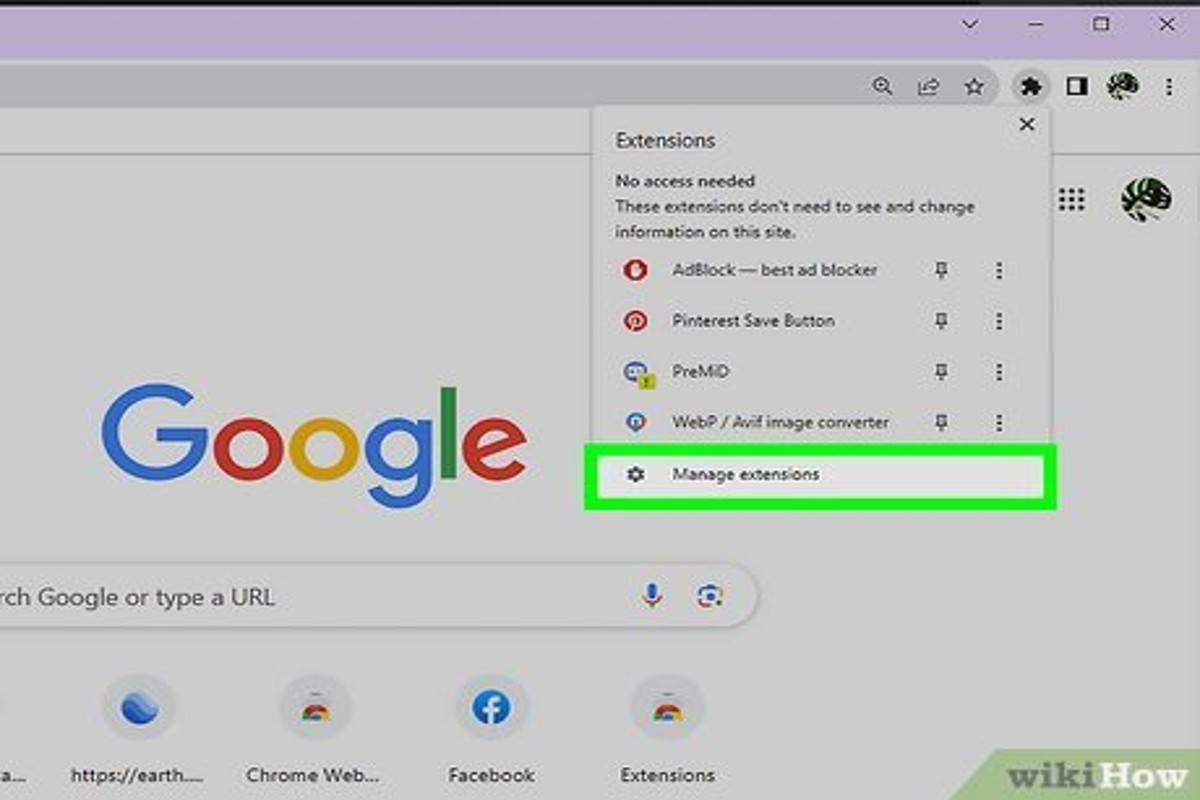
To shut off Google Ads, you need to access your Google Ads account, select the campaign you want to pause, and click on ‘Pause’. This action effectively prevents any ads from being displayed, allowing you to save money and reassess your marketing strategy. In 2022, businesses spent over $200 billion on digital advertising, highlighting the significance of managing ad expenditures effectively.
Understanding how to shut off Google Ads is crucial for businesses looking to optimize their advertising budget and marketing strategies. With digital advertising expenditures soaring, knowing when and how to pause campaigns can prevent unnecessary costs and ensure alignment with business objectives. Failure to manage ads effectively can lead to wasted resources and missed opportunities, making it essential for marketers to be well-versed in these processes.
Inadequate knowledge of managing Google Ads can result in substantial financial losses and a competitive disadvantage in the market. Businesses could face wasted advertising spend, which could otherwise be allocated to more effective marketing strategies or campaigns.
This article will provide a comprehensive, step-by-step guide on how to shut off Google Ads, including best practices for pausing campaigns, insights into budget management, and tips for reassessing your advertising strategy to ensure optimal performance.
What does it mean to shut off Google Ads?
Shutting off Google Ads means pausing or stopping advertising campaigns on the Google Ads platform. This action can halt the display of ads — preventing any further expenditure on clicks or impressions. In 2024, businesses spent an estimated $200 billion on digital advertising. This highlights the importance of managing ad campaigns effectively.
Pausing Google Ads can be a strategic move for various reasons. Budget constraints, seasonal business cycles, or performance-related issues often drive this decision. When campaigns are paused, ads won’t appear to users. However, the campaign data remains intact, allowing for future analysis and reactivation. Stopping campaigns involves deleting them, which removes all associated data and performance history (this is often overlooked).
- Pausing a campaign: Temporarily stops ads from showing while retaining all settings and data.
- Stopping a campaign: Permanently disables the campaign, resulting in a loss of historical data.
- Budget considerations: Shutting off ads can help manage cash flow. It also prevents overspending during lean periods.
Before deciding to shut off Google Ads, businesses often analyze performance metrics. Factors such as click-through rates, conversion rates, and return on ad spend (ROAS) are critical in determining whether to pause or stop campaigns. Seasonal trends can significantly impact ad performance — prompting advertisers to adjust their strategies accordingly.
Expert insight: Regularly review campaign performance data and market conditions. This helps make informed decisions about when to shut off Google Ads, ensuring optimal budget allocation and maximizing ROI.
How do I pause a Google Ads campaign?
To pause a Google Ads campaign, log into your google ads account. Then, select the campaign you want to pause and toggle the status from “Enabled” to “Paused.” This process takes just a few clicks. It allows for improved budget management and necessary campaign adjustments.
Follow these steps to effectively pause your campaign:
-
Log in to your google ads account using your credentials.
- Navigate to the “Campaigns” tab on the left side of the dashboard.
- Identify the campaign you want to pause from the list of active campaigns.
- Click the checkbox next to the campaign name to select it.
- Locate the “Edit” dropdown menu above the campaign list and click on it.
- Select “Pause” from the options provided. The campaign status will change to “Paused” — this indicates that it’s no longer active.
Pausing a campaign is an effective way to temporarily halt ads without deleting them, which preserves all settings and data for future use. Monitoring the performance of paused campaigns is key, as they can be reactivated whenever necessary. Additionally, think about how pausing campaigns might impact your overall marketing strategy (this is often overlooked); it could affect your visibility and performance metrics.
Expert insight: Regularly review your campaign performance to figure out the best times to pause or reactivate campaigns. This strategic approach can enhance your return on investment and ensure effective budget allocation.
What happens when I shut off my Google Ads?
When Google Ads are turned off, all active campaigns pause, leading to an immediate stop in ad visibility. Ads won’t show up on Google search results or partner sites. This effectively halts any traffic generation and conversions.
Take a small e-commerce business that spends $1,000 each month on Google Ads. If the owner pauses the ads, a noticeable drop in website traffic is often seen within days. In fact, the business might see a 30% decrease in overall sales — ads were driving a sizable portion of customer engagement. Without those ads, potential customers searching for related products simply won’t find the business’s offerings, which means lost opportunities.
Additionally, pausing ads impacts the campaign’s historical performance data (this is often overlooked). Google relies on this data to optimize future ad placements. As ads sit paused, performance metrics like click-through rates (CTR) and conversion rates stagnate, which can affect the effectiveness of future campaigns. If the business owner chooses to restart the ads, they’ll face a learning curve as the Google Ads algorithm recalibrates based on the new dynamics of the campaign.
Expert insight: Regularly reviewing and adjusting ad budgets can prevent the need to shut off Google Ads entirely. Targeting seasonal promotions or adjusting bids during low-traffic times might yield better results without needing complete campaign pauses.
Can I turn off Google Ads for specific keywords?
Yes, you can turn off Google Ads for specific keywords by pausing or removing them from your campaigns. This gives you more control over ad spend and targeting — ensuring your budget is used effectively. As of 2024, advertisers can fine-tune campaigns to boost performance based on how well keywords perform.
To manage keywords in Google Ads, follow these steps:
- Log into your Google Ads account and navigate to the campaign containing the keywords you want to modify.
- Click on the “Keywords” tab. This shows all the keywords associated with that campaign.
- Select the specific keyword(s) you want to pause by checking the box next to each keyword.
- Once selected, click on the “Edit” button and choose “Pause” from the dropdown menu. This stops ads from showing for those keywords without deleting them.
- To permanently remove a keyword, select it and choose “Remove” instead of “Pause.” This action is irreversible — you’ll have to add the keyword back if needed.
Pausing keywords gives you flexibility. You can reactivate them later if performance changes. Regularly reviewing keyword performance helps optimize your advertising strategy and improve return on investment.
Expert insight: The “Search Terms” report is a useful tool. It helps identify underperforming keywords — providing insights for which keywords to pause or remove for improved campaign efficiency (worth double-checking).
How long does it take to shut off Google Ads?
Shutting off Google Ads can take as little as a few minutes. However, the visibility of ads might continue for up to 24 hours after deactivation. This delay happens because Google needs time to process the changes and update their ad-serving systems.
When a campaign is paused or stopped, the changes take effect right away in the Google Ads interface. Yet, ads can still be displayed for a short period — they might already be queued for delivery. This can lead to ads appearing even after they’re officially turned off. Typically, the delay is within 1 to 24 hours, depending on factors like the ad delivery method, campaign settings, and the current volume of ads Google is processing.
Another factor influencing the shutdown time is the type of ad campaign running. For example, search ads often stop showing up sooner than display ads, which usually have longer lead times because of their wider reach across networks. Advertisers should also think about any scheduled ads set to run at specific times. These might keep showing until their scheduled end time, regardless of the campaign’s status in the interface (this is often overlooked).
Expert insight: To ensure immediate cessation of all ads, the recommended approach is to not only pause campaigns but also to check and remove any active ad extensions or scheduled ads that might still be set to run.
What are the best practices for managing Google Ads?
Effective management of Google Ads involves strategic planning and ongoing optimization. Adopting best practices can significantly enhance campaign performance and ROI. Studies show that businesses using structured management techniques often see up to a 30% increase in conversion rates.
Managing Google Ads requires regular monitoring, data-driven decisions, and proactive adjustments. Here are some solid strategies:
- Set Clear Objectives: Define specific goals for each campaign, like increasing website traffic or boosting sales. This clarity drives all future decisions.
- Utilize Negative Keywords: Keep your negative keyword list updated to exclude irrelevant searches. This ensures your ads reach a more targeted audience — and it reduces wasted spend.
- Regularly Review and Adjust Bids: Monitor performance metrics closely. Adjust bids based on keyword success. Increase bids for high-performing keywords and lower them for those with low conversion rates.
- Implement A/B Testing: Test different ad copies, formats, and landing pages continually. Identify what resonates best with your audience. Use the results to refine your strategy.
- Monitor Quality Scores: Keep an eye on Quality Scores for your ads. A higher score can lead to lower costs and better ad placements — so optimize ad relevance and landing page experience accordingly.
Expert insight: Regularly auditing your campaigns and staying updated on Google Ads changes can help maintain competitiveness and ensure alignment with evolving market trends (this is often overlooked).
Is there a cost associated with shutting off Google Ads?
There’s no direct cost to pause or stop Google Ads campaigns. However, businesses can face costs tied to previous spending and lost opportunities during the inactivity of the ads.
The main financial consideration when pausing or stopping Google Ads is the budget already set for the campaign. Advertisers only pay for clicks or impressions gathered before the ads are paused. If a campaign has already spent part of its budget, that amount isn’t recoverable. Additionally, there can be consequences for future performance. Pausing campaigns may result in a dip in ad rank and quality score — which can impact future costs once the campaign resumes.
- Campaign Type: Different campaign types (search, display, video) can vary in impact when paused, influencing future costs.
- Duration of Pause: Longer pauses can lead to a notable drop in performance metrics, potentially increasing costs once reactivated.
- Historical Performance: A campaign with a solid performance history often recovers faster and at a lower cost compared to one that has struggled (this is often overlooked).
Expert insight: Regularly reviewing and optimizing ad spend can help mitigate the effects of pausing campaigns. This ensures better cost efficiency when advertising efforts are resumed.
Understanding Google Ads Campaign Structure
This section outlines the organizational framework of Google Ads campaigns, which is crucial for successfully shutting off ads. Grasping this structure enables users to manage their campaigns with precision and efficiency.

Overview of Campaign Types in Google Ads
Google Ads offers various campaign types designed for distinct marketing objectives. The primary types include:
- Search Campaigns: Text ads displayed on Google search results.
- Display Campaigns: Visual ads shown on websites within the Google Display Network.
- Video Campaigns: Ads primarily featured on YouTube and other video platforms.
- Shopping Campaigns: Product listings that appear on Google Shopping results.
- App Campaigns: Ads promoting mobile applications across various platforms.
Each type has unique features and targeting options, which influence how ads are managed and optimized.
Hierarchy of Campaigns, Ad Groups, and Keywords
Google Ads operates in a hierarchical manner, comprising campaigns, ad groups, and keywords. This organization allows for targeted management and performance tracking.
1. **Campaigns:** The highest level, defining the overall budget, geographic targeting, and campaign type.
2. **Ad Groups:** Nestled within campaigns, ad groups contain sets of ads and keywords that share a common theme.
3. **Keywords:** The specific terms that trigger ads; they are grouped under ad groups to enhance relevance and performance.
This structure enables advertisers to organize their efforts effectively. It ensures campaigns align with business goals.
Impact of Campaign Structure on Ad Management
The way campaigns are structured greatly impacts ad management. A well-organized campaign often leads to better budget allocation and improved ad relevance. Enhanced performance metrics are usually the result. For instance, campaigns focused on specific products or services tend to achieve a higher click-through rate (CTR). Industry reports indicate businesses optimizing their campaign structure see a 20% increase in overall ad performance compared to those with poorly organized campaigns.
Best Practices for Organizing Campaigns
To facilitate easier management and ensure optimal performance, consider following these best practices:
- Define Clear Objectives: Set specific goals for each campaign, such as brand awareness or lead generation.
- Segment by Themes: Group similar products or services within ad groups to enhance targeting.
- Regularly Review Performance: Analyze metrics to adjust bids, budgets, and keywords as needed.
- Utilize Negative Keywords: Implement negative keywords to prevent ads from appearing on irrelevant searches.
By adhering to these practices, advertisers can streamline their workflow and make data-driven decisions.
Nuance / Expert Layer
Many advertisers mistakenly think that just pausing a campaign is enough for ad cessation. However, this can lead to missed opportunities for data analysis and optimization. A comprehensive approach — which involves evaluating ad groups and keywords before shutting them off — is more effective. For example, if a particular keyword shows potential but has a low budget, reallocating funds might yield better results rather than a complete shutdown. Understanding seasonal trends and adjusting campaigns accordingly can significantly enhance overall effectiveness.
Practical Application
To leverage this information effectively, take the following steps:
1. **Audit Existing Campaigns:** Review the structure of current campaigns to spot areas for improvement.
2. **Organize by Goals:** Restructure campaigns based on specific marketing objectives for clarity.
3. **Utilize Analytics:** Regularly monitor performance metrics to inform decisions about which campaigns to shut off or optimize.
4. **Set Up Negative Keywords:** Enhance targeting by implementing negative keywords to refine ad visibility.
By applying these strategies, advertisers can manage their Google Ads campaigns more effectively. This ensures resources are allocated efficiently and performance is maximized.
Common Mistakes When Shutting Off Google Ads
Shutting off Google Ads can significantly impact a business’s online presence. Recognizing common mistakes is essential. This ensures the transition is managed well and doesn’t disrupt overall marketing efforts.
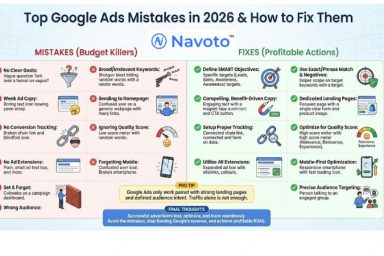
Not Pausing All Relevant Campaigns
A frequent error is not pausing all relevant campaigns at once. Advertisers often target various audiences or products across multiple campaigns. This can lead to continued spending on campaigns that should be stopped. For instance, if a business runs separate campaigns for search ads, display ads, and remarketing, neglecting to pause even one can cause unnecessary costs. A thorough review of all active campaigns is essential to avoid this misstep.
Failing to Monitor Performance After Pausing
Another mistake involves a lack of monitoring after campaigns are paused. Stopping ads doesn’t mean data analysis should stop. Keeping an eye on website traffic, conversion rates, and other crucial performance indicators (KPIs) is vital. According to a 2024 report, businesses that continue performance analysis after pausing ads have a 30% better understanding of their audience’s behavior. This analysis can significantly inform future marketing strategies and adjustments.
Ignoring the Impact on Overall Marketing Strategy
Shutting off Google Ads can send ripples through a company’s broader marketing strategy. Many businesses overlook how pausing or stopping ads affects branding and customer engagement. For example, if paid ads serve as a primary traffic source, stopping them can lead to a noticeable drop in website visits and brand visibility. The 2025 digital marketing trends indicate that businesses relying solely on organic traffic might lose up to 40% of their leads without a strategic plan during ad campaign halts.
Confusing Pausing with Deleting Campaigns
Confusion between pausing and deleting campaigns is quite common. Pausing campaigns allows for easy reactivation, preserving historical data and settings. In contrast, deleting campaigns results in losing valuable performance data and complicates future advertising strategies. It’s vital to maintain a clear distinction between these two actions for effective campaign management.
Expert Insight
Many advertisers mistakenly think that once they pause ads, their obligations are over. However, paused campaigns still require ongoing evaluation to assess potential reactivation. Understanding audience shifts during the pause can reveal opportunities for retargeting or refining messaging. Experts recommend engaging target audiences through alternative channels — like email marketing or social media — to lessen the impact of paused ads (this is often overlooked).
Practical Application
- Conduct a thorough audit of all active campaigns before pausing.
- Establish a monitoring schedule for key performance metrics after pausing.
- Assess the overall marketing strategy to determine how ad pauses affect brand presence.
- Clearly differentiate between pausing and deleting campaigns to preserve data.
Implementing these strategies can help navigate the transition away from Google Ads effectively. This minimizes disruption and maximizes future advertising potential.
Reassessing Your Advertising Strategy After Pausing Ads
This section outlines key steps for analyzing advertising performance and refining strategy after pausing Google Ads. By looking at past efforts, future campaigns can improve. Better results are achievable.

Analyzing Performance Data Before and After Pausing
Evaluating performance data is crucial for understanding how ads influenced results. Use Google Ads reporting tools to compare key metrics like click-through rates (CTR), conversion rates, and cost-per-click (CPC) before and after the pause. A study found that businesses analyzing ad performance regularly see up to a 30% improvement in campaign efficiency.
Consider segmenting data by device, location, and audience demographics. These details can uncover which segments performed well — and which didn’t. This insight helps guide future targeting decisions.
Identifying Areas for Improvement in Ad Copy and Targeting
After pausing ads, it’s time to review ad copy and targeting criteria. Identify keywords or phrases that underperformed, as these may have hurt engagement.
- Ad Copy: Look for messaging patterns that resonated with the audience. Test variations of headlines and descriptions to find stronger combinations.
- Targeting: Assess audience targeting settings. Factors like demographics, interests, and behaviors can greatly impact ad performance. Consider refining the target audience based on data insights (this is often overlooked).
- Landing Pages: Make sure landing pages match ad messaging. High bounce rates can suggest a disconnect between what the ad promises and landing page content.
Setting New Goals for Future Campaigns
Establishing clear, measurable goals is essential for the success of upcoming campaigns. Goals should be specific, achievable, relevant, and time-bound (SMART). For instance, aim to increase conversion rates by 15% within three months or cut CPC by 20% over the next quarter.
Regularly revisit these goals to adapt to shifting market conditions and consumer behavior. Setting benchmarks allows for ongoing performance evaluation — and adjustment.
Testing New Strategies and Ad Formats
Experimentation is vital for optimizing advertising efforts. Consider testing fresh ad formats, like responsive search ads or video ads, which have been shown to boost engagement rates by 20-30% according to recent industry reports.
Implement A/B testing to compare different strategies, ad placements, and audiences. This method facilitates data-driven decisions that can enhance overall campaign effectiveness.
To make the most of these insights, create a structured plan for your next advertising campaign. Start by compiling performance data, identifying key areas for improvement, and setting new, targeted goals. Implement A/B tests for different ad formats and copy to refine strategy further. Regularly review and adjust based on performance to ensure continuous improvement.
The Importance of Regularly Managing Your Google Ads
Regular management of Google Ads is crucial for maximizing advertising effectiveness and ensuring optimal return on investment. This section outlines key reasons why ongoing oversight is critical — especially regarding campaign adjustments and knowing when to shut off Google Ads.
Benefits of Regular Reviews and Adjustments
Frequent reviews of Google Ads campaigns help advertisers adapt to changing market conditions and shifts in consumer behavior. Regular adjustments can lead to better click-through rates (CTR) and conversion rates. According to a study by WordStream, businesses optimizing their campaigns regularly can see a CTR increase of up to 50% — quite significant.
- Identifying underperforming ads: Continuous monitoring helps pinpoint ads that don’t meet performance benchmarks.
- Budget reallocation: Regular assessments enable better allocation of budgets to high-performing campaigns.
- Ad copy testing: Ongoing management allows for A/B testing of ad copy, which improves engagement rates.
Impact of Seasonal Trends on Ad Performance
Seasonality significantly affects advertising effectiveness. For instance, retail businesses often see peaks during holidays and shopping events. Adjusting campaigns to fit seasonal trends enhances visibility and relevancy. A report from Google indicates that advertisers aligning their campaigns with seasonal trends can experience a performance boost of up to 30% during peak periods.
Understanding seasonal shifts helps advertisers to:
- Adjust bidding strategies to take advantage of increased competition.
- Modify ad messaging to resonate with seasonal themes (this is often overlooked).
- Time ad launches to coincide with spikes in consumer interest.
Using Automation Tools for Better Management
Automation tools within Google Ads offer substantial advantages for campaign management. Features like Smart Bidding and automated rules allow for real-time adjustments based on performance metrics. Businesses using automated solutions can reduce time spent on manual adjustments by up to 30% — freeing resources for strategic planning.
Key automation benefits include:
- Real-time optimization: Automated bidding adjusts bids based on current data to maximize conversions.
- Scheduled actions: Automated rules can pause or adjust campaigns based on predefined criteria.
- Performance alerts: Notifications for significant changes in campaign performance aid timely decision-making.
Building a Responsive Advertising Strategy
A responsive advertising strategy is essential for adapting to market changes and consumer preferences. This approach incorporates real-time data analysis and feedback loops. By establishing a framework for routine updates and adjustments, advertisers can maintain a competitive edge.
Effective strategies include:
- Using analytics tools to track user behavior and campaign performance.
- Engaging with customer feedback to refine messaging and targeting.
- Implementing a flexible budget strategy to dynamically allocate funds based on performance.
Regularly managing Google Ads is not solely about maintaining campaign visibility; it’s about ensuring that advertising efforts align with business goals and market dynamics. Advertisers should consistently review performance data, adjust strategies for seasonal trends, leverage automation, and build responsive frameworks to maximize campaign effectiveness.
To apply this information, consider establishing a routine for reviewing Google Ads performance weekly. Identify key metrics to track, set specific goals for each campaign, and allocate time for adjusting bidding strategies and ad copy based on findings. This proactive approach will enhance the ability to shut off Google Ads effectively when necessary and redirect resources to more successful campaigns.
Frequently Asked Questions
What does it mean to shut off Google Ads?
Shutting off Google Ads means pausing or disabling your advertising campaigns, preventing any ads from being displayed. This action stops all ad spending until the campaigns are reactivated.
How do I pause a Google Ads campaign?
To pause a Google Ads campaign, navigate to the “Campaigns” tab, select the campaign you wish to pause, and click on the status toggle to change it to “Paused.” This will temporarily halt all ads associated with that campaign.
What happens when I shut off my Google Ads?
When Google Ads are shut off, ad visibility ceases, and no impressions or clicks will occur until the campaigns are resumed. This can impact traffic and conversions, as ads will no longer appear in search results or on websites.
Can I turn off Google Ads for specific keywords?
Yes, you can pause or remove specific keywords within a campaign instead of shutting off the entire campaign. This allows you to focus on more effective keywords while minimizing costs associated with underperforming ones.
How long does it take to shut off Google Ads?
Shutting off Google Ads is immediate once you change the campaign status to “Paused” or “Removed.” There is no delay in stopping ad delivery after this action is taken.
What are the best practices for managing Google Ads?
Best practices include regularly reviewing campaign performance, adjusting bids and budgets based on results, and conducting A/B testing on ad creatives. Additionally, pausing underperforming ads and keywords can optimize overall campaign efficiency.
Is there a cost associated with shutting off Google Ads?
There is no direct cost to pause or shut off Google Ads; however, any ongoing campaigns will stop accruing costs once they are disabled. It is important to monitor your account to avoid unexpected charges from active campaigns.
Final Thoughts on how to shut off google ads
Effectively shutting off Google Ads requires a nuanced understanding of your campaign structure and strategic foresight. Pausing campaigns or specific keywords can significantly impact your advertising strategy, necessitating a thorough reassessment of your marketing objectives and budget allocation.
To begin implementing these strategies, immediately access your Google Ads account and identify any campaigns or keywords that require pausing; this proactive step will allow for better financial management and optimization of future campaigns.
Looking to take control of your advertising? Consult a google ads expert to help you navigate the process seamlessly.
Mastering the art of managing Google Ads is crucial for maximizing your advertising ROI and ensuring your marketing efforts align with your business goals.